BARLIN GAMES
Feature

How Video Games Teach You to Play Without Tutorials

Great video games can teach you to jump, explore, solve puzzles, and master new mechanics without stopping the action. Discover how level design, visual clues, experimentation, and carefully timed challenges help players learn naturally.
Junaid Founder & Editor-in-Chief · 16 min read
How Video Games Teach You to Play Without Tutorials
01

The Best Tutorials Don't Feel Like Tutorials

Some games explain every button before the fun begins. Others place you in a world and let you discover what is possible. When the design works, learning becomes part of the adventure rather than an interruption.

Think about the first few minutes of a game you have never played before. You might move toward an open doorway, jump over a gap, pick up an object, or press a button because it looks important. Before long, you begin to understand how the world works. You have learned something without necessarily being told that a lesson has started.

This is one of the most effective ideas in game design: teach the player through the experience itself.

A traditional tutorial often explains an action directly. A message might tell you which button to press, where to aim, or how to interact with an object. This can be useful, especially when a game has complicated controls. But too many instructions can interrupt the rhythm of play and make the player feel as though they are completing a checklist.

An experience-led tutorial takes a different approach. It creates a situation in which an action feels useful, understandable, and worth trying. A ledge suggests jumping. A reachable collectible encourages exploration. A locked door creates a reason to search for a switch or key.

The player still has to learn, but the lesson is connected to a goal.

This does not mean that good games never use tutorial text, button prompts, or help screens. Many combine direct instructions with interactive practice. The important question is whether the instructions help the player engage with the game or keep them waiting outside the actual experience.

When teaching is woven into gameplay, the player does not simply memorize a control. They understand why that control matters.

And that small difference can change how the entire game feels.

The lesson should belong to the experience

A good tutorial does more than explain a button. It gives the player a reason to use that button, a chance to understand the result, and enough confidence to try again.

02

A Level Can Teach Before the Game Says Anything

The arrangement of platforms, enemies, doors, and rewards can quietly introduce the rules of a game. Before a player reads an instruction, the level itself can begin guiding their attention.

Level design is not just about deciding where the player walks or where enemies appear. It also determines what players notice, what they try, and what they learn from the result.

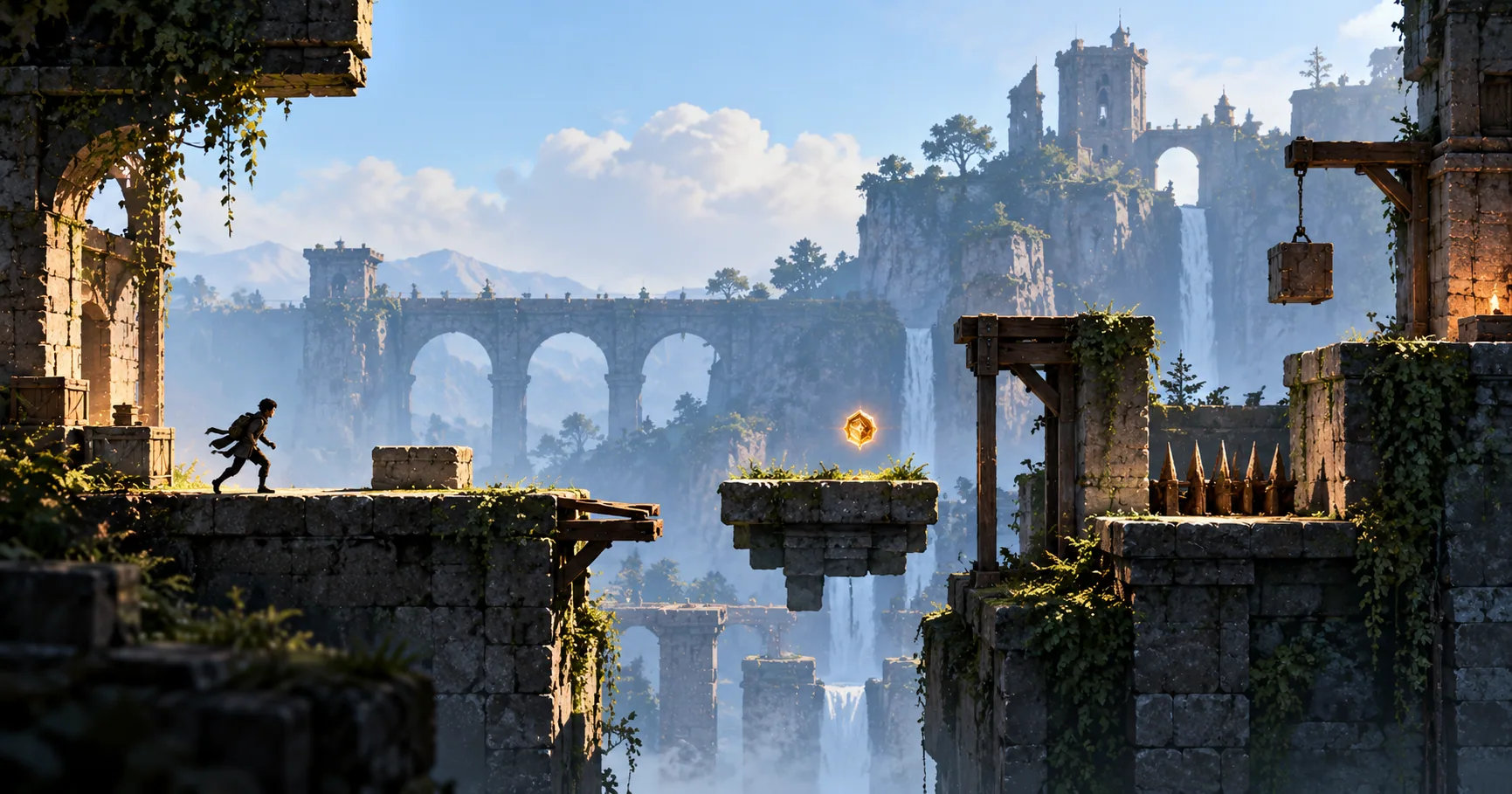
Imagine the opening of a simple platform game. The player begins on a wide, safe surface. A little farther ahead, an obstacle blocks the route. Beyond it, a collectible sits on a raised platform. A gap separates the player from the next area.

Even without written instructions, this arrangement creates questions. Can the character jump over the obstacle? Is the collectible reachable? How far can the character travel before falling?

The player starts forming an understanding of the controls by interacting with the environment.

This is why the original Super Mario Bros. is such a useful example. Its opening level introduces basic movement and jumping through the placement of enemies, blocks, gaps, and rewards. The player encounters situations that make certain actions useful, then discovers what happens when they try them. Game Developer's analysis of Mario's level design discusses how these early spaces introduce mechanics through the way the level is arranged.

The important detail is that the level does not need to explain every possibility at once. It can introduce one clear problem and allow the player to respond.

Good visual hierarchy helps too. A distinctive object, an unusually shaped platform, or a visible path can draw attention toward something worth investigating. The player may not know exactly what will happen, but they have a reason to try.

Of course, level design cannot communicate everything perfectly. Players arrive with different experience, assumptions, and accessibility needs. A visual clue that seems obvious to one person may be easy for another to miss.

That is why effective levels are tested with real players. Designers need to see whether people understand the intended possibilities, not simply assume that the layout makes sense.

A well-designed level is therefore more than a place to play. It is part of the game's teaching system.

  • Safe space: Give players room to try basic movement without immediate punishment.
  • Clear obstacles: Present a visible problem that encourages a specific action.
  • Useful rewards: Place a collectible or goal where trying a mechanic becomes worthwhile.
  • Readable landmarks: Use distinctive shapes, colours, or environmental features to draw attention.
  • Gradual complexity: Introduce a new idea before combining it with other challenges.
03

Learning Happens When Players Experiment

Players learn more than the controls when they are allowed to test ideas. They begin to understand cause and effect, discover the boundaries of a mechanic, and build their own strategies.

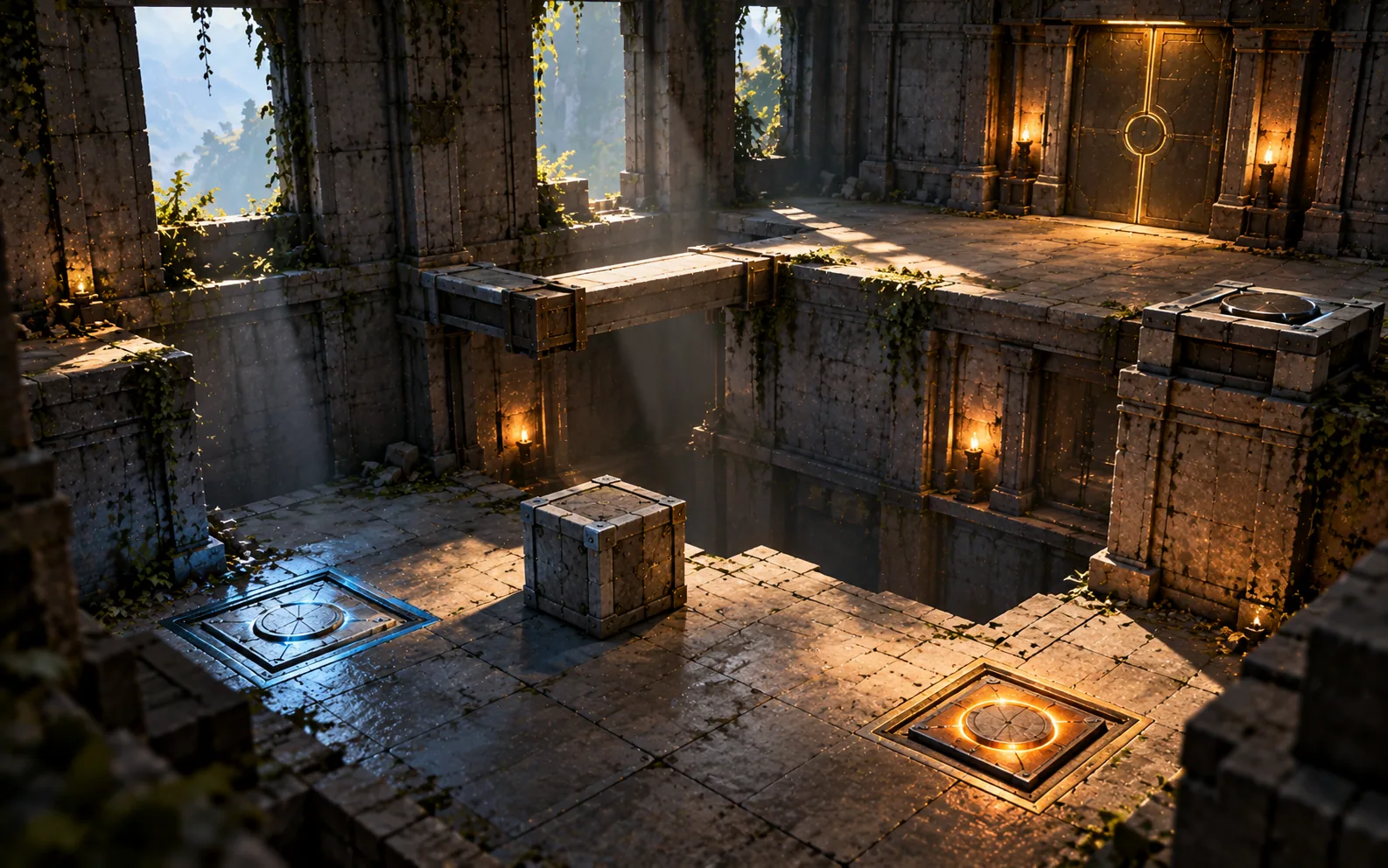
A tutorial can tell you that an object moves when you push it. An interactive game can let you push the object, watch what happens, and discover how that movement changes the space around you.

The second experience adds something important: experimentation.

When players try an action and observe the result, they begin building a mental model of the game. They learn which objects can be moved, which surfaces can be used, which actions produce a response, and which assumptions were wrong.

Puzzle games are particularly good at making this process visible. In Portal, for example, players gradually learn how portals connect spaces and how that connection can be used to solve environmental problems. The game introduces situations in which the mechanic can be explored, then develops puzzles that ask players to apply their understanding in new ways.

The player is not merely remembering a rule. They are learning how to think with it.

For experimentation to work, the game needs to provide useful feedback. If a player presses a button and nothing happens, they may not know whether the action was incorrect, unavailable, or simply not recognized. If the game makes the result clear, even a failed attempt can teach something.

Failure can be part of this process, too. A player who misses a jump may discover the distance they can cross. Someone who moves a puzzle object into the wrong position may understand why the placement matters. These moments become frustrating only when the game gives too little information, makes mistakes too expensive, or repeatedly forces the player to repeat a long sequence.

This is where the cost of experimentation matters. A safe room encourages curiosity because mistakes are easy to recover from. A difficult boss encounter may make experimentation stressful because every mistake costs health or time.

Neither approach is automatically better. The right choice depends on the experience the game wants to create.

The central principle is simple: let players try meaningful actions, show them what happens, and give them enough room to adjust their approach. That is how interaction becomes understanding.
Three stages of player learning

Try: The player attempts an action to see what it does.

Understand

The game provides clear feedback that helps the player connect the action with its result.

Apply

The player uses the new understanding to solve a different problem.

04

Show the Player, Don't Just Tell Them

A game environment can communicate possibilities through shapes, movement, colour, sound, and the behaviour of objects. When these signals are consistent, players can begin to predict what they should try.

Players are constantly reading a game world, even when they are not consciously thinking about its design. They notice the shape of a platform, the glow of an object, the movement of an enemy, or the contrast between a usable door and a solid wall.

These details help them make decisions.

Suppose a game introduces a new object that can be activated. If it has a distinctive appearance and responds in a consistent way whenever the player interacts with it, players can begin recognizing similar objects elsewhere. They no longer need a lengthy explanation each time the mechanic appears.

Consistency is crucial. If every usable object looks different, players may have difficulty recognizing what can be interacted with. If a supposedly decorative object sometimes behaves like a switch and sometimes does nothing, players may become uncertain about the game's rules.

Visual guidance can also direct attention without forcing a decision. A bright doorway, a trail of moving lights, a distinctive silhouette, or a path framed by architecture can suggest where the player might go next. The player remains free to explore, but the environment offers a readable starting point.

Sound can support the same process. A recognizable audio cue may signal that a mechanism has activated, a nearby object is important, or an action has succeeded. These cues can reinforce visual information and may be especially helpful when visual attention is divided.

However, visual and audio cues should not be treated as universal solutions. Colour alone may not communicate a distinction to every player, and important information should not depend entirely on one sensory channel. Shape, contrast, animation, sound, captions, and accessibility options can work together to make a game easier to understand.

The goal is not to make every clue obvious. It is to make the game's language understandable enough that players can learn it.

Once players recognize that language, the game can communicate more with fewer explicit instructions.

Contrast
Important objects should be distinguishable from their surroundings.
Consistency
Similar actions and objects should communicate similar meanings.
Feedback
Player actions should produce understandable responses
Accessibility
Important information should not rely on colour or sound alone when alternative cues are practical
05

Introduce a Mechanic, Then Build on It

Learning feels natural when a game introduces an idea in a manageable situation, lets players practice it, and eventually combines it with other skills.

A mechanic can be easy to understand in isolation and still become difficult to use in a real challenge. Knowing how to jump is one thing. Timing a jump while avoiding a moving obstacle and landing on a narrow platform is something else.

Strong game design accounts for this difference.

A common approach is to introduce a mechanic in a simple setting. The player sees what it does and gets an opportunity to use it. Later, the game asks them to use the same mechanic under slightly different conditions. Eventually, the mechanic becomes one part of a larger problem.

This creates a progression from introduction to practice to mastery.

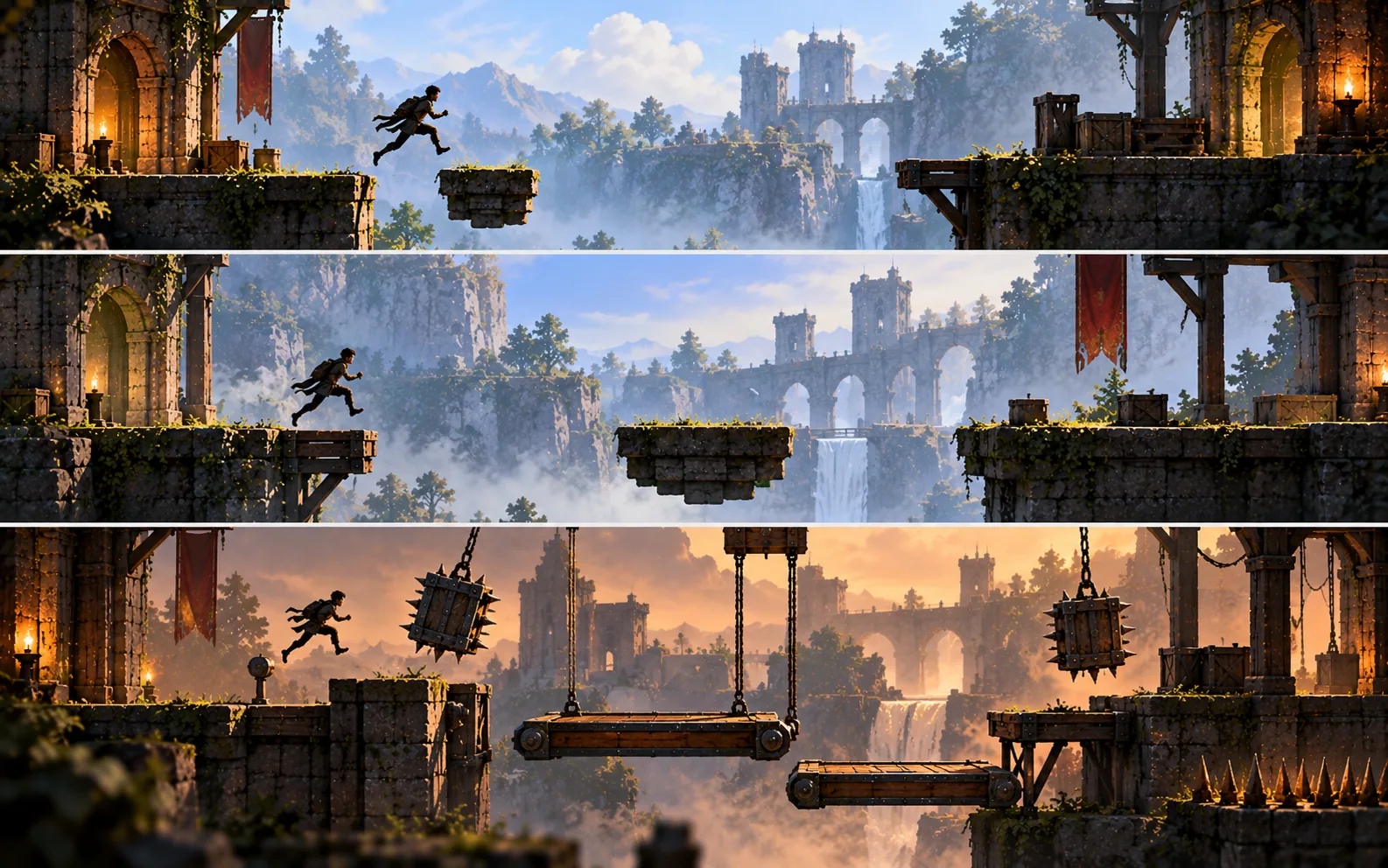
Consider a fictional platform game that introduces a moving platform. First, the player encounters one that moves slowly over a short gap. Later, the platform travels farther or changes direction. In a subsequent level, the player must combine platform timing with a jump or another familiar mechanic.

The challenge grows because the player has to apply an established idea in a new context, not because the game suddenly introduces a pile of unrelated rules.

Portal provides another useful example of this principle. Its puzzle progression builds on the player's growing understanding of portals and spatial relationships. As the puzzles develop, the player must reason about how the established mechanic interacts with the room, objects, and movement.

This approach also makes difficulty feel more earned. Players can recognize that a new challenge is asking them to use something they already understand, even if the solution is not immediately obvious.

There is an important balance, though. Repeating the same task without meaningful variation can become boring. Introducing too many mechanics too quickly can overwhelm the player. Designers need to judge when a concept has been understood well enough to support the next step.

That judgement cannot come from the design document alone. Playtesting helps reveal whether players are progressing naturally or struggling with a missing explanation.

A good learning curve does not eliminate difficulty. It gives difficulty a foundation.
STEP 1

Introduction

Present one new mechanic in a simple, readable situation.

STEP 2

Practice

Give the player another opportunity to use it with low pressure.

STEP 3

Variation

Change the context so the player must think rather than repeat a memorized action.

STEP 4

Combination

Pair the mechanic with previously learned skills.

STEP 5

Mastery

Let the player use the mechanic confidently in a more complex challenge

06

Why Constant Instructions Can Break the Flow

Instructions are useful when players need them, but too many interruptions can separate learning from the experience. The challenge is finding the right balance between clarity and discovery.

Imagine entering an exciting new area, only to have the game stop every few seconds to display another message. Press this button. Open that menu. Equip this item. Now repeat the action you just learned.

The instructions may be accurate, but the experience can start to feel like a training course rather than a game.

This is one reason designers think carefully about when and how tutorials appear. Players want to understand the controls, but they also want to reach the activity that made them interested in the game in the first place.

The solution is not to remove every instruction. Some mechanics are too complex to communicate through a level alone. Games with detailed inventories, skill trees, crafting systems, or intricate control schemes may genuinely need menus, diagrams, and written explanations.

A well-designed tutorial chooses the right teaching method for the information involved.

A simple movement action may be taught through a safe space and a clear obstacle. A complicated inventory system may need a short guided introduction. A rare mechanic may benefit from a reminder when it first becomes relevant, rather than an explanation delivered long before the player needs it.

Timing matters. Information is easier to use when it arrives close to the moment it becomes useful. An instruction about a mechanic introduced several hours earlier may be forgotten by the time the player encounters it again.

Games can also allow players to revisit help when needed. Optional explanations, control reminders, practice rooms, and accessible settings give players different ways to learn without forcing everyone through the same sequence.

Ultimately, the best approach depends on the game. A fast arcade game may benefit from almost immediate interaction, while a complex role-playing game may need more structured guidance.

The objective is not to prove that tutorials are bad. It is to ensure that every instruction has a purpose and that learning supports the player's momentum instead of constantly interrupting it.

“

The goal is not to remove instructions. It is to give players the right help at the moment they need it.

Barlin Games Editorial
07

When Teaching Through Gameplay Goes Wrong

A game can hide its instructions so successfully that players never discover them. Teaching through play works only when the clues, feedback, and consequences are understandable.

A game that refuses to explain anything is not automatically intuitive. Sometimes, it is simply confusing.

Players may miss a small visual clue, misunderstand what an object does, or fail to notice that a mechanic has changed. They might spend several minutes attempting actions that the designer assumed would be obvious. Instead of feeling clever when they succeed, they may feel that they guessed the developer's intention.

This is the main risk of teaching entirely through discovery: the intended lesson and the player's actual experience can be very different.

One common problem is introducing several unfamiliar ideas at once. If a room contains a new movement ability, a new enemy, an unfamiliar object, and a timed hazard, the player may not know which element they are supposed to understand first.

Another problem is unclear feedback. When an action fails without a readable response, players cannot easily distinguish between a mistake, a limitation of the mechanic, and a missed opportunity.

Games can also punish experimentation too harshly. If a player must replay a long section every time they test an unfamiliar mechanic, they may stop experimenting altogether.

Developers can reduce these problems by testing levels with people who have not seen the design process. Observing where players hesitate, make repeated mistakes, or misunderstand an object can reveal gaps that the creators no longer notice because they already know the solution.

The answer may be a clearer visual cue, a safer practice opportunity, a more consistent object design, or a short optional instruction. Sometimes the game simply needs to introduce the mechanic in a different order.

Accessibility deserves the same attention. If the intended clue is too subtle, depends on one colour distinction, or relies exclusively on sound, some players may miss information that is essential to progress.

A successful tutorial is not one that makes the designer's intentions invisible at any cost. It is one that helps players understand the game while preserving the pleasure of discovery.

The best measure is not whether the developer had to explain less. It is whether players learned what they needed to enjoy more.

Invisible teaching still needs clear feedback

If players cannot recognize what an action did, why it failed, or what they can try next, the experience may feel confusing rather than intuitive. Discovery works best when the game gives players enough information to learn from their choices.

08

The Player Should Feel Like They Figured It Out

The most satisfying learning moments happen when players connect the clues themselves. A mechanic that once seemed unfamiliar becomes something they can use confidently, creatively, and without being reminded every time.

There is a special feeling that comes from solving a problem and realizing that the game gave you everything you needed to work it out.

Maybe you recognized the pattern of a puzzle. Maybe you discovered that an object could be used in an unexpected way. Or perhaps you completed a difficult sequence and noticed that the game had been preparing you for it several levels earlier.

These moments make learning feel like an achievement.

When a game teaches effectively, the player gradually stops thinking about the act of learning. Controls become familiar, environmental clues become easier to read, and the player begins anticipating what a mechanic might allow. They move from following examples to making decisions independently.

That independence is an important part of the experience. The player is no longer simply responding to instructions. They are using their understanding to explore possibilities the game has not explicitly demonstrated.

This is why teaching through gameplay can make mechanics feel so memorable. The player has not only heard a rule; they have used it, tested it, and seen how it changes the world around them.

But the experience should remain welcoming to people who need more guidance. Optional help, clear settings, readable feedback, and useful reminders can coexist with discovery. Giving players support does not take away the satisfaction of learning.

For developers, the challenge is to design an experience that respects both curiosity and clarity. Every obstacle, reward, visual cue, and practice opportunity can contribute to that goal.

For players, it creates a different way to appreciate the games they love. The next time a game teaches you a new skill without a long explanation, pay attention to how the level is arranged, what draws your eye, and how the game responds to your actions.

You may discover that the game has been teaching you all along.


Let the Game Teach Through Play

Great game design turns learning into part of the adventure. A carefully placed obstacle, a readable visual clue, or a puzzle that builds on a familiar mechanic can help players understand a world without stopping to explain every detail. When the teaching is clear and the discovery belongs to the player, mastering a new skill feels less like following instructions and more like earning a breakthrough.

The next time a game makes you think, “Oh, now I get it,” look a little closer. That moment may be the result of some of the most thoughtful design in the entire experience.

09 — FAQ

How Video Games Teach Players Without Tutorials

Learn how game designers use level design, experimentation, visual cues, and gradual challenges to help players understand gameplay naturally.

How do video games teach players without tutorials?

Games can teach players through level design, environmental clues, interactive objects, rewards, and clear feedback. Instead of explaining every action with text, they create situations in which players can discover how the game works by trying things themselves.

What is tutorial design in video games?

Tutorial design is the process of helping players understand controls, mechanics, and game systems. It can include written instructions, demonstrations, practice areas, contextual prompts, or challenges that teach through gameplay.

What is an example of a game that teaches through level design?

The original Super Mario Bros. is a well-known example. Its opening level introduces movement and jumping through the placement of enemies, blocks, gaps, and rewards. The player learns by interacting with the level rather than relying entirely on written explanations.

How does Portal teach players its mechanics?

Portal introduces its portal mechanic through puzzles that let players explore how portals connect spaces. Later challenges build on that understanding and ask players to apply the mechanic in increasingly complex situations.

Are tutorials bad for video games?

No. Tutorials can be essential for complex controls and systems. The goal is to provide useful instructions at the right time without unnecessarily interrupting gameplay. Many successful games combine direct explanations with hands-on practice.

What is a learning curve in game design?

A learning curve describes how players encounter and develop proficiency with a game's mechanics and challenges. A carefully designed progression introduces ideas, gives players opportunities to practice, and gradually asks them to use their skills in more demanding situations.

Why is feedback important when teaching game mechanics?

Feedback helps players understand the results of their actions. Visual changes, animations, sound cues, and clear responses can show whether an action worked and help players learn from mistakes.

How do developers know whether a tutorial works?

Developers can observe playtesters, review where players hesitate or make repeated mistakes, gather feedback, and examine gameplay data where appropriate. Testing with people unfamiliar with the design helps reveal whether instructions and level cues are understandable.

Junaid
About the author

Junaid

Founder & Editor-in-Chief at Barlin Games

Founder and Editor-in-Chief of Barlin Games, covering games, studios, developers, gaming culture, and the stories behind the industry.

19 Articles Published
Love this article? Building a better way to discover games. View all articles